
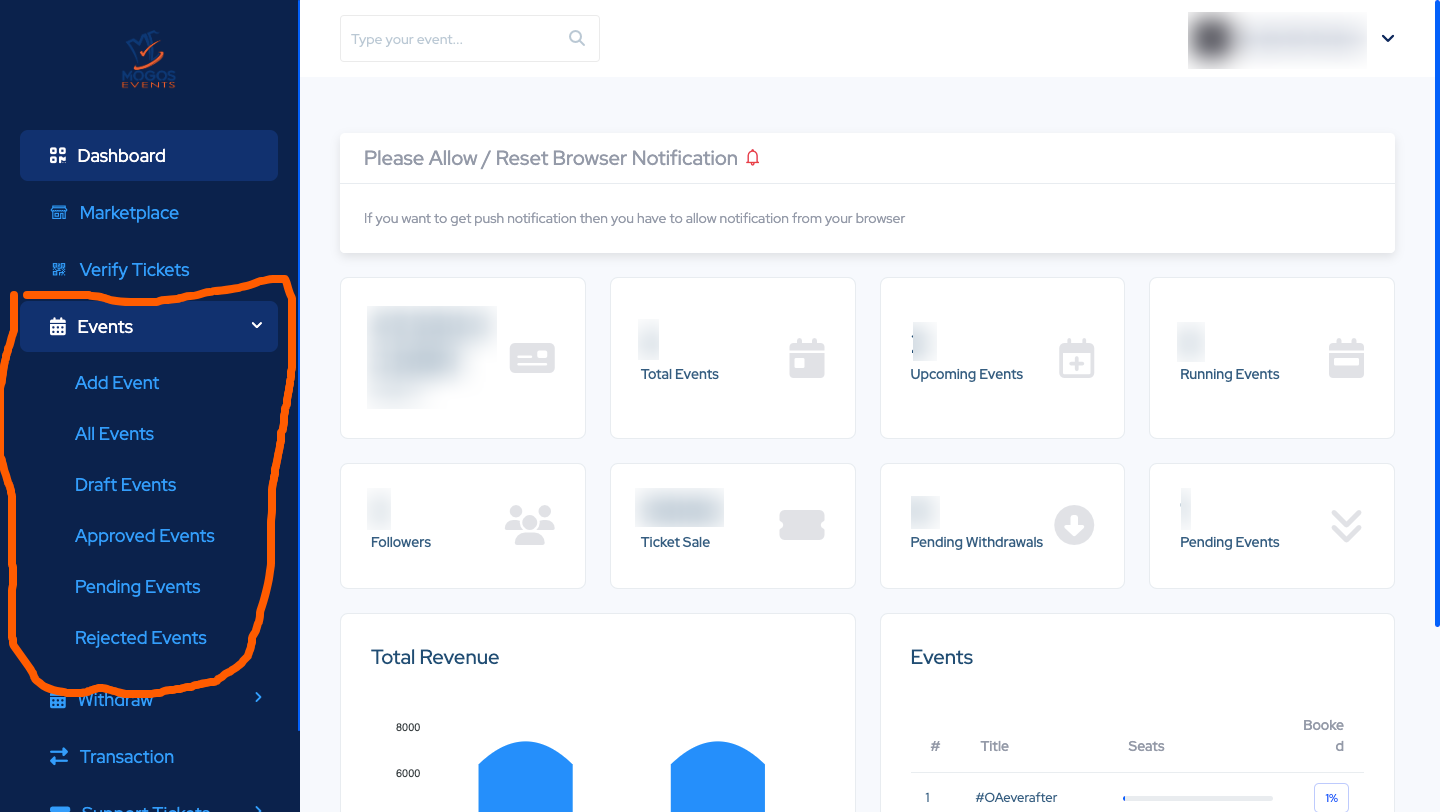
Welcome! Setting up an event on MogosEvent is just like filling out a simple form. This guide will hold your hand through the 5 easy steps to get your event online so people can join.
Quick Steps Overview
-
Overview: Name your event and say where it is happening online.
-
Info: Pick the date, time, and ticket price.
-
Gallery: Add a nice picture for your event.
-
Speakers: Add the names and pictures of your special guests.
-
Publish: Click a button to put your event on the internet!
Step 1: Overview (The Basics)
-
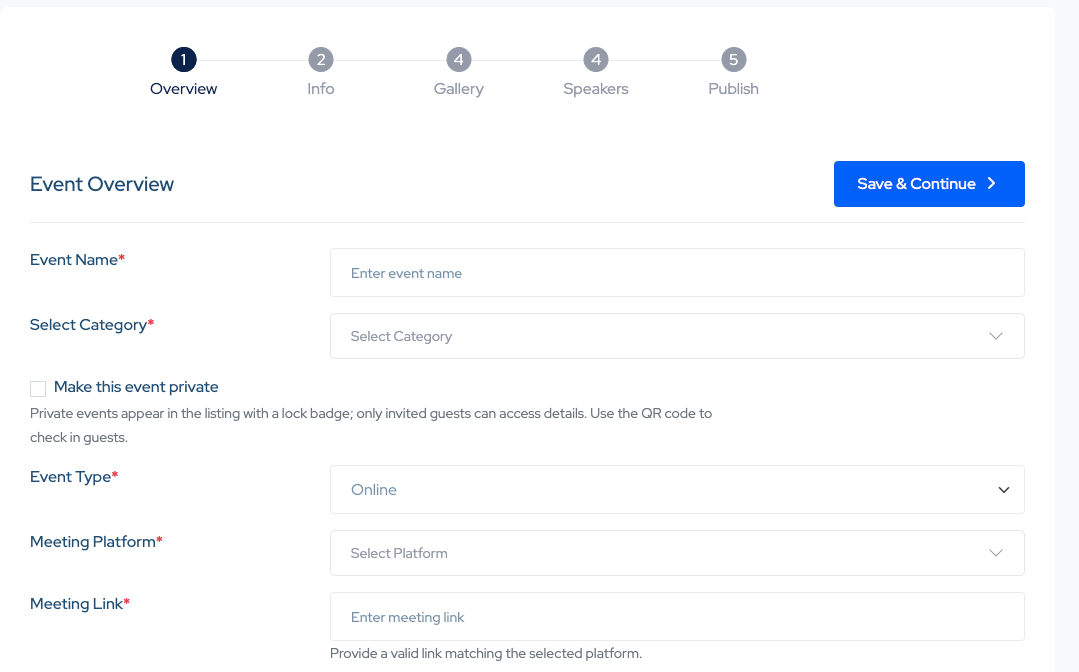
Event Name: Type in what your event is called. Pick a simple name that is easy to remember.
-
Select Category: Click the box and pick the topic that matches your event (like Business, Tech, or Fun).
-
Make this event private: Leave this empty if you want everyone to see it. Only check the box if it is a secret event just for your friends or invited guests.
-
Event Type: Choose "Online" since people will be joining from their computers or phones.
-
Meeting Platform: Where are you hosting it? Pick your tool, like Zoom or Google Meet.
-
Meeting Link: Paste the exact web link that people will click to join your video call.
-
Click the blue Save & Continue button to move on.
Step 2: Info (Details and Time)
-
Description: Write a short, friendly message about what people will learn or do at your event.
-
Start and End Date: Click the calendar to pick the exact days your event starts and finishes.
-
Start and End Time: Type in the exact time (like 10:00 AM) so people are not late.
-
Total Seats: How many people are allowed to come? Type a number, like 400.
-
Ticket Pricing: Click "Single Price" if everyone pays the same amount. Then, type the price in the box (for example, 2500 NGN).